Classroom
Random student picker: call on students fairly with a wheel
Quick answer
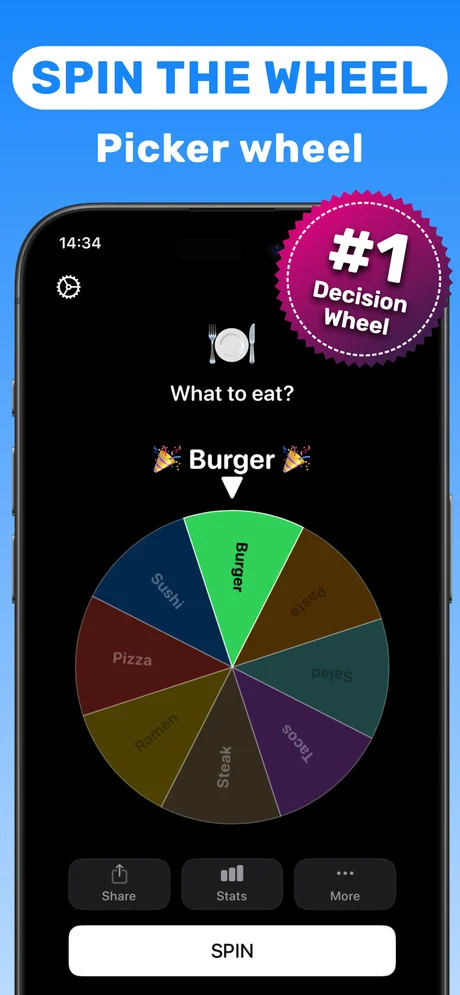
Make a wheel of your class in Spinner Wheel Names: type the student names into the Custom spinner, or, if photos are allowed in your school, take a class photo for Face Roulette. Tap Spin and the wheel picks a student, with every name on an equal slice. Remove each picked student to make sure everyone gets a turn.
Random calling keeps every student ready to answer and takes the "teacher always picks the same kids" complaint off the table. A wheel makes that randomness visible, which students accept far more readily than a teacher simply choosing.
This guide shows how to set it up on an iPhone in a minute and how to use it for questions, presentations and groups.
Ways teachers use a random picker
- Cold calling during questioning.
- Choosing the order of presentations.
- Picking a helper, line leader or reader.
- Drawing a random number for a homework question or seat.
Making it fair and kind
Remove each student once picked so the turns go round the whole class. Give a "phone a friend" option so that being picked never feels like a trap. Mirror the phone to the board if you can; seeing the wheel spin is half the engagement.
Privacy note for Face Roulette
Face Roulette needs a photo of the students. Follow your school photo policy; the typed-names wheel works for any class without a photo.
Step by step: set up a class wheel
Do this once per class.
-
1
Open the Custom spinner
In Spinner Wheel Names, start a custom wheel.
-
2
Add the class list
Type each student name as an entry.
-
3
Spin to call on a student
Tap Spin; the wheel stops on one student.
-
4
Remove and repeat
Remove the picked student before the next spin so everyone gets a turn.
Do it in Spinner Wheel Names
Free on the App Store. Pick a tool, add the players, spin.
Classroom tips
- Use first names only on the wheel.
- Keep one wheel per class.
- Need a number instead (page, question, seat)? Use the random number generator.
Questions people also ask
Is there a random name picker for teachers on iPhone?
Yes. Spinner Wheel Names lets you build a wheel of student names, or use Face Roulette with a class photo where your school allows it.
How do I make sure every student gets picked?
Remove each student from the wheel after they are picked and keep spinning until the wheel is empty.
Can the whole class see the result?
Yes, the wheel shows the pick on screen; mirror the phone to a projector so everyone can watch.
Spinner Wheel Names is a random picker for fun and everyday decisions. It is not meant for regulated lotteries or gambling.