Spin the wheel
Spin the wheel on iPhone: make a custom wheel in under a minute
Quick answer
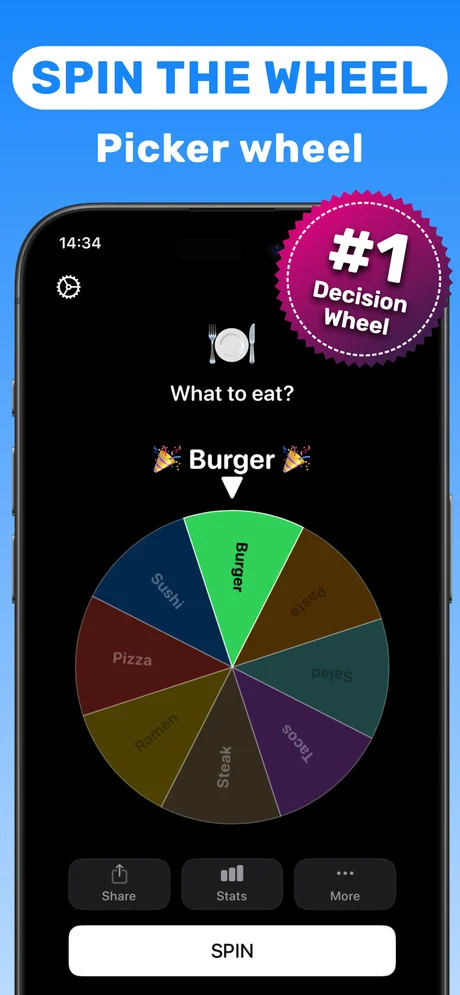
Install Spinner Wheel Names (free on the App Store), open the Custom spinner, type your entries (names, dares, food, chores, prizes), give each one a color and tap Spin. The wheel slows down and lands on one entry for everyone to see. For a group of people you can skip typing entirely: Face Roulette picks from the faces in a group photo.
"Spin the wheel" is the fastest way to settle a choice that nobody wants to make: who goes first, what to eat, which dare comes next. Website wheels work, but on a phone they mean a browser tab, tiny text fields and ads between you and the spin.
An app keeps the wheel one tap away, works the same every time, and lets you pass the phone around the table. This guide shows how to set up a wheel on iPhone and which kind of wheel fits which situation.
Which wheel do you need?
Spinner Wheel Names has five pickers. Choose the one that matches what you are deciding:
| You want to… | Use |
|---|---|
| Pick from your own list (names, food, dares, chores) | Custom spinner |
| Pick a person who is in the room, without typing names | Face Roulette |
| Decide who goes first in a few seconds | Finger Roulette |
| Get a simple yes or no | coin flip (Yes or No) |
| Draw a number for a raffle or game | Random number generator |
Is a spin the wheel app fair?
On a wheel where every slice is the same size, every entry has the same chance on every spin. The result is shown on one screen that everybody watches, which is the real reason a wheel ends arguments: nobody has to trust the person holding the slips.
If you want one option to be more likely (for example a favourite restaurant), add it twice. If you want to avoid repeats, remove the winner before the next spin.
App vs website wheel
Website wheels are fine on a laptop. On iPhone, an app opens instantly, keeps your wheels ready for next time, and adds tools a website cannot do well, like Face Roulette (picks one face from a group photo) and Finger Roulette (everyone touches the screen at once).
Step by step: make and spin a custom wheel
Takes about a minute the first time.
-
1
Install Spinner Wheel Names
Download it free from the App Store and open it.
-
2
Open the Custom spinner
Choose the custom wheel from the list of tools.
-
3
Add your entries
Type each name or option and pick a color for it. Short labels read best on the wheel.
-
4
Spin
Tap Spin. The wheel slows down and lands on one entry under the pointer.
-
5
Spin again or edit
Spin again for the next pick, or edit the list (remove the winner to avoid repeats).
Do it in Spinner Wheel Names
Free on the App Store. Pick a tool, add the players, spin.
Tips for a better wheel
- Keep labels to one or two words so they stay readable on smaller slices.
- Use contrasting colors for neighbouring slices so the result is obvious from across the table.
- For a group in the same room, try Face Roulette: one photo replaces typing every name.
Questions people also ask
Is there a free spin the wheel app for iPhone?
Yes. Spinner Wheel Names is a free download on the App Store. Some features are unlocked with optional in-app purchases shown on the listing.
Can I make a wheel with my own options?
Yes. The Custom spinner takes any entries you type (names, dares, food, chores, prizes) and lets you color each slice.
What if my list is very long?
Labels get small on a crowded wheel. For large groups, Face Roulette or a numbered list with the random number generator is easier to read.
Spinner Wheel Names is a random picker for fun and everyday decisions. It is not meant for regulated lotteries or gambling.